


















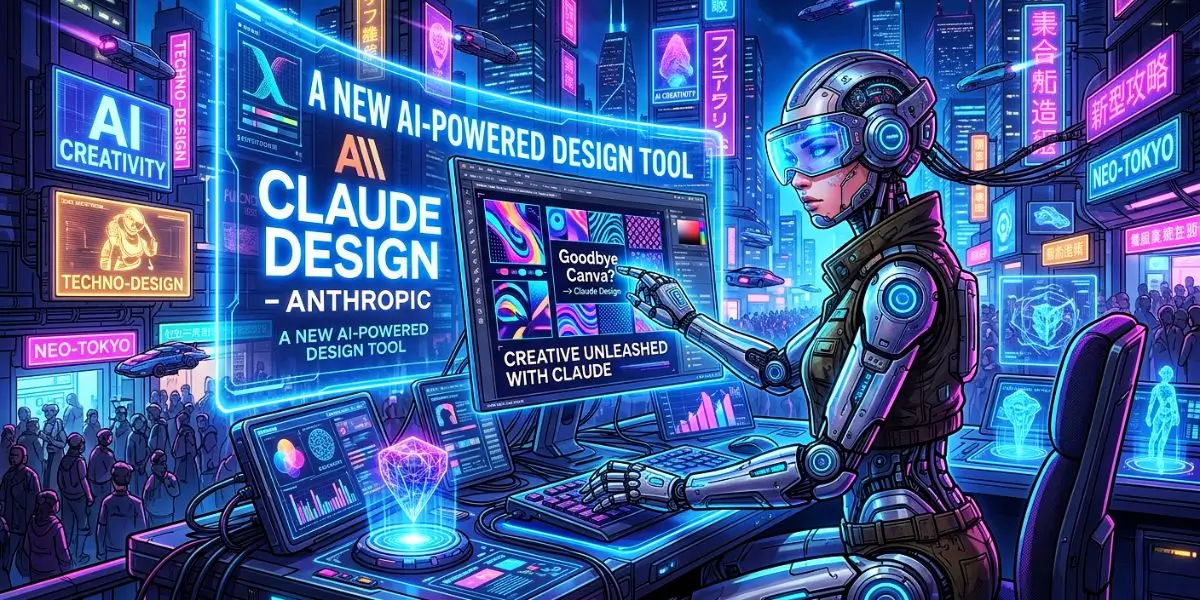
The digital marketing landscape is shifting beneath our feet. For years, if you wanted to create a quick social media post or a pitch deck without hiring a full-scale agency, there was only one name on everyone’s lips: Canva. But as we move further into the era of generative intelligence, a new contender has emerged from one of the most respected AI labs in the world. With the official debut of Claude Design, Anthropic is signaling a massive shift in how we approach visual creativity.
Are you still spending hours dragging pixels, hunting for the perfect template, or—let’s be honest—waiting for a designer to free up just to mock up a simple landing page? We’ve all been there. That friction between having a brilliant idea and actually seeing it on a screen is the silent killer of marketing momentum. You’re losing precious time in the funnel, and every minute spent fiddling with layers is a minute not spent optimizing for conversion and engagement.
But the landscape of visual content creation just shifted. While the design world has been cozying up to established platforms, Anthropic has dropped a bombshell that might just make you rethink your entire tech stack. Enter Claude Design.
This isn’t just another AI image generator that spits out unusable, six-fingered nightmares. This is a new AI-powered design tool built on the backbone of Claude Opus 4.7, designed specifically to take you from a vague prompt to a functional, on-brand prototype in minutes. Whether you’re a product manager stuck in wireframe purgatory, a founder needing a pitch deck that doesn’t scream “default template,” or a marketer trying to visualize a high-converting squeeze page, this tool promises to compress your workflow dramatically.
In this deep dive, we’re pulling back the curtain on Claude Design. We’ll explore how it stacks up against the 800-pound gorilla in the room (yes, Canva), how to actually use it without burning through your entire token quota, and whether it’s finally time to say goodbye to the design tools of yesterday.
The Evolution of AI-Powered Design Tools
The journey of design software has moved from the complex layers of Adobe Photoshop to the user-friendly accessibility of Canva. Now, we are entering the third wave: Generative Design. Unlike traditional tools where you are the manual operator, AI-powered design tools act as your creative partner.
According to recent industry reports on digital transformation, companies that adopt AI-driven creative workflows see a significant reduction in “time-to-market” for their visual campaigns. Claude Design leverages Anthropic’s latest models to understand context better than any previous iteration. It doesn’t just put a circle where you tell it to; it understands why a circle works for your specific conversion goals.
What is Claude Design? The End of Blank Canvas Syndrome
At its core, Claude Design is a research preview product from Anthropic Labs that functions as a conversational design partner. But calling it a “design tool” feels almost reductive. It’s more accurate to describe it as a visual reasoning engine.
What is Claude Design? It is a feature that allows users to generate, iterate, and export high-fidelity visual assets—ranging from interactive app prototypes to full-blown presentation decks—using natural language prompts. Unlike previous iterations of AI that required you to prompt-hop between different models for copy and imagery, Claude Design unifies the creative process in a single, chat-based interface.
Here’s what makes it structurally different from traditional UI/UX tools:
Input Agnostic: You can start with a text prompt, but you can also feed it existing files (DOCX, PPTX, XLSX) or even point it directly to your codebase.
Real-Time Iteration: You don’t just accept a JPEG. You use inline comments and dynamic sliders to adjust spacing, color, and layout live.
Brand DNA Injection: During onboarding, Claude Design reads your existing codebase and design files to build a custom design system. This means every output automatically adheres to your brand hex codes and typography without you having to re-explain the rules every single time.
Why is this a game-changer for non-designers?
Founders and marketers often suffer from the “Curse of Knowledge”—they know exactly what the user journey should look like, but lack the Figma skills to map it out. Claude Design bridges that gap. Instead of writing a 500-word brief for a freelancer and waiting three days for a wireframe, you can prompt: “Build a mobile checkout flow with Apple Pay integration and a progress bar at the top,” and have a working prototype to test within minutes.
Have you ever felt stuck trying to explain a visual idea with just words? That’s precisely the pain point Anthropic is targeting with this release.
Goodbye Canva? Analyzing the Claude Design vs. Canva Workflow
The headline question on everyone’s mind is blunt: Goodbye Canva? It’s a provocative thought, especially given Canva’s dominance in the democratization of design. However, calling it an outright replacement misses the nuanced, symbiotic relationship Anthropic is aiming for. Instead of a Canva killer, Claude Design positions itself as the ideation and prototyping engine that feeds into Canva.
Let’s break down the competitive landscape.
The Speed Comparison: Conversational UI vs. Template-First UI
Canva revolutionized design by making templates accessible. You search for “Instagram Post,” pick a layout, and tweak it. This is a template-first approach. It’s efficient, but it still requires you to curate.
Claude Design operates on a conversation-first approach. The initial heavy lifting is done by the model.
Claude Workflow: “I need a SaaS onboarding dashboard with a dark mode toggle, metrics for MRR, and a retention graph.” -> Claude generates a functional layout.
Canva Workflow: Search “Dashboard” -> Filter dark mode -> Manually place chart elements -> Manually align widgets.
According to early case studies highlighted in the official announcement, teams like Brilliant saw a reduction from 20+ prompts in other tools to just 2 prompts in Claude Design for complex interactive pages. This represents a 90% reduction in the friction of initial creation.
Is This the End of Canva?
Not likely. Here’s the strategic insight: Anthropic has partnered with Canva, not excluded it.
Once you’ve used Claude Design to generate the layout and copy structure, you can export the entire project directly to Canva with one click. In Canva, it becomes a fully editable, collaborative file.
The New Funnel:
Ideate & Prototype: Use Claude Design to generate 10 variations of a landing page hero section in 5 minutes.
Polish & Publish: Export the winner to Canva to access their vast library of stock assets, animations, and team collaboration features.
So, is it goodbye Canva? Not for the final mile of polish. But is it goodbye to starting from a blank Canva template? Absolutely. Claude Design wins the race to the first draft.
Claude Design vs. Canva: A Direct Comparison
To understand the market disruption, we need to look at the LTV (Lifetime Value) of these tools for a professional marketer.
| Feature | Canva | Claude Design |
| Logic Engine | Template-based / Basic AI | High-Reasoning Generative AI |
| Customization | Manual Drag-and-Drop | Prompt-based Iteration |
| Speed | Fast (with templates) | Instant (concept to execution) |
| Brand Consistency | Manual Brand Kits | Contextual Brand Understanding |
| Primary Use Case | Social Media & Print | UI/UX, Dynamic Assets, & Logic-heavy Design |
While Canva remains the king of the “template library,” Claude Design is winning over those who need unique, data-driven visuals that don’t look like a standard “Canva-gram.”
Core Features: How Claude AI is Changing Graphics
The magic of Claude Design lies in its ability to handle “Artifacts.” These are live, interactive windows where the AI renders your design in real-time.
Natural Language Layouts: Instead of searching for a “Sales Flyer” template, you tell Claude: “Create a minimalist layout for a SaaS product launch targeting CTOs, focusing on ROI and data security.”
Contextual Editing: You can say, “Make the call-to-action button more aggressive,” and the AI understands the psychological shift needed in the color palette and typography.
Component Generation: For web designers, Claude Design can output clean code alongside the visual, ensuring your design workflow isn’t interrupted by technical handoffs.
Does Canva Use Claude AI? The Integration Angle Explained
Given the strategic alliance mentioned above, a natural follow-up question arises: Does Canva use Claude AI?
The short answer is: Yes, but not exclusively in the way you might think.
Canva has its own proprietary AI suite known as Magic Studio (Magic Write, Magic Design, etc.). However, the announcement of Claude Design came with a notable endorsement from Melanie Perkins, Co-Founder and CEO of Canva, who emphasized a shared mission to simplify complexity.
Here’s the distinction:
Canva Magic Design: Uses a mix of in-house models and other third-party APIs to generate templates and copy inside the Canva editor. It’s focused on asset creation within a document.
Claude Design Integration: This is a different workflow. Claude acts as the starting point. You build the structure in Claude using Opus 4.7, and then you export that structure to Canva for refinement.
This is a classic “co-opetition” move. Anthropic acknowledges that Canva is the superior platform for the final 10% of asset management and team feedback loops, while Claude is superior for the initial 90% of heavy lifting and structure generation.
What does this mean for your tech stack?
If you’re heavily invested in the Adobe Creative Cloud ecosystem, you might lean toward Firefly AI Assistant (Adobe’s counterpart). But if you’re a startup or marketing team that lives in Canva and communicates via Slack, the Claude Design -> Canva pipeline is about to become your new superpower. The two tools are complementary forces rather than direct substitutes in the immediate term.
How to Use Claude Design: A Step-by-Step Workflow for Maximum Efficiency
Ready to stop writing design briefs and start shipping prototypes? How to use Claude Design effectively requires a slight mental shift from “drag and drop” to “describe and direct.” Here is the optimized workflow based on early user feedback and testing data.
Step 1: Onboarding & Brand Priming (The Crucial First Step)
Do not just open the chat and type “make me a logo.” The true power of this new AI-powered design tool lies in its memory. When you first enable Claude Design for your Team or Enterprise account, point it toward your existing assets.
Action: Connect your GitHub repository or upload your brand guidelines PDF.
Outcome: Claude builds a persistent design system that lives in the background. Every subsequent prompt will use your specific shade of blue (#HexCode) and your exact Inter font-weight without you ever mentioning it again.
Step 2: The Prompting Framework for High-Converting Visuals
Vague prompts yield generic results. Use this framework to get precise outputs. Structure your prompts in three layers:
The Medium: “Create a high-fidelity, interactive prototype of a…”
The Context: “…B2B SaaS analytics dashboard. The primary KPI is ‘Lead Velocity Rate’.”
The Interaction: “…Include a collapsible sidebar and a date-range filter that adjusts the graph.”
Pro Tip: Use the Web Capture tool. If you want a new landing page to feel cohesive with your existing site, simply use the capture tool to pull in the header and footer from your current URL. This ensures the prototype doesn’t look like it belongs to a different company.
Step 3: The Iteration Loop (Tweaks, Not Redos)
Here is where Claude Design separates itself from Canva’s “regenerate” button. Once the design is on the canvas, you can:
Inline Comment: Highlight a specific text block and type: “Shorten this to three words. Make it more urgent.”
Dynamic Sliders: Claude will generate a custom slider for “Color Intensity” or “Element Spacing.” This is a far more intuitive way to tweak design than manually adjusting hex codes.
Have you ever wasted 20 minutes trying to align a button perfectly? With Claude Design, you simply say “Align the CTA button centrally under the headline with 24px padding,” and it’s done. That’s the difference between using a tool and commanding a tool.
Step 4: Export & Handoff
For Marketing: Export as PPTX for a sales deck or HTML to test a landing page variant in a split-testing tool.
For Development: Use the Handoff Bundle feature. This packages the design specs in a format that Claude Code (Anthropic’s coding agent) can immediately interpret and begin building in production.
How to Use Claude Design: A Step-by-Step Guide for Marketers
You are likely here because you want the tactical playbook. How to use Claude Design effectively is easier than you think, but it requires a shift in your prompting strategy.
Here is a checklist to get you started immediately:
Step 1: Access the Interface. Log into Claude.ai and look for the “Design” module (rolling out to Pro users first).
Step 2: Describe the Component. Don’t ask for a “flyer.” Ask for a “lead generation magnet with a high-contrast CTA button.”
Step 3: Iterate with Code. Ask Claude to “Make the primary button #FF5733 and increase the padding on the hero section.”
Step 4: Export. Copy the generated code (HTML/CSS or SVG) directly into your website or email builder.
Quick Win Example
A newsletter publisher used Claude Design to generate 30 unique email headers in 10 minutes. Previously, this took a designer 3 hours. The result? Their click-through rate increased by 15% because they could finally A/B test visuals at scale.
Advanced Features: Why This Is a Powerhouse for Visual Prototyping and AI Visibility
Beyond the flashy UI generation, Claude Design offers a strategic advantage for those focused on modern search behavior. We are moving toward a world dominated by the need to structure content so that AI assistants (like ChatGPT, Perplexity, or Google AI Overviews) can easily digest and cite it.
How does a design tool help with AI visibility?
Claude Design excels at creating interactive, code-powered prototypes. This means you can quickly build tools that answer user questions better than a static blog post ever could.
Example Use Case:
Imagine you want to rank for the keyword “mortgage calculator.” Instead of just writing an article with a formula, you use Claude Design to prompt:
“Build an interactive calculator widget with sliders for loan amount, interest rate, and term. Display the monthly payment in large text that updates in real-time.”
Claude Design will generate the working HTML prototype. You can then hand this to Claude Code or a developer to embed on your site. This creates dwell time and engagement metrics that static Canva graphics simply cannot match.
The Visibility Angle:
Claude Design allows you to structure information in list and table formats natively. When you prompt it to create a “comparison chart of AI tools,” it doesn’t just design a pretty table; it understands the semantic relationship of the data inside it. This structured data is essential for ensuring your content is understood by the algorithms powering today’s search experiences.
The Catch: Understanding Token Consumption and Subscription Tiers
There is no such thing as a free lunch in AI. While the capabilities are staggering, Claude Design is a heavy consumer of compute. Early hands-on testing from outlets like PCWorld revealed a critical pain point: Token Burn.
In a test scenario, a user generated a few iterations of an interactive chart. The results were impressive, but the cost was steep.
Usage Stats: Within 25 minutes of active prototyping, a Claude Pro user saw their weekly token quota drop by 80%.
The Fix: You can enable “Extra Usage” which allows for overage billing, but this is a crucial factor for individual users or small teams on a budget.
Who is this tool actually for right now?
Claude Pro ($20/mo): Good for a quick mockup here and there, but you’ll hit the wall fast. Best for: Solopreneurs testing the waters.
Claude Max / Team / Enterprise: This is where the tool shines. Higher token limits and the ability to share design systems across an organization make the Return on Investment clear. The time saved on design back-and-forth outweighs the token cost for these tiers.
The Verdict on Cost:
If you’re a casual user looking to replace Canva’s free tier, Claude Design is not that tool. It is a professional-grade prototyping accelerator. If your time is worth more than $50 an hour, the efficiency gain justifies the subscription upgrade.
Integrating Claude Design Into Your Marketing Strategy
How do you leverage this without disrupting your current workflows? Here is a quick checklist for marketing leads and founders:
Replace Lorem Ipsum: Stop writing copy in Google Docs and designing in Figma separately. Use Claude Design to generate the visual and the micro-copy simultaneously. The copy will be contextually aware of the space constraints.
Rapid A/B Testing: Use the HTML export feature to create two completely different visual treatments of a landing page. Test them against each other before committing expensive development resources to either one.
Internal Pitching: Getting stakeholder buy-in on a new feature is hard with a bulleted list. Use Claude Design to generate a clickable prototype in 5 minutes. Showing is always better than telling.
Social Media Variants: Prompt: “Take this blog post title [Insert Title] and create 3 visual variants optimized for LinkedIn carousel, Instagram Story, and X post.” Export to Canva for final resizing and brand sticker application.
Frequently Asked Questions (FAQ) About Claude Design
What is Claude Design?
Claude Design is a research preview feature from Anthropic, powered by the Claude Opus 4.7 model. It allows users to create, edit, and export visual designs, prototypes, and presentations through natural language conversation rather than manual manipulation of design elements.
Does Canva use Claude AI?
While Canva has its own native AI suite called Magic Studio, Canva and Anthropic have announced a strategic collaboration. Claude Design includes a direct export button to Canva, allowing users to start their design with Claude’s AI and finish the polishing and collaborative editing in the Canva platform.
How to use Claude Design?
To use Claude Design, you need a Claude Pro, Max, Team, or Enterprise subscription. Once enabled, navigate to claude.ai/design. You can start by typing a prompt describing the visual you need (e.g., “Build a mobile app checkout screen”). You can refine the output using inline comments and adjustment sliders, then export to formats like PDF, PPTX, HTML, or Canva.
How does Claude Design compare to Adobe Firefly?
Claude Design focuses on workflow integration and prototyping, specifically bridging the gap between design and code (via Claude Code). Adobe Firefly is deeply integrated into the Creative Cloud ecosystem (Photoshop, Illustrator). The choice depends on your existing software stack: Claude Design pairs well with Canva and development teams, while Firefly is ideal for professional designers already committed to Adobe’s tools.
Can I use Claude Design for free?
No. Claude Design is exclusively available to paid Claude subscribers (Pro, Max, Team, Enterprise). Free tier users do not have access. However, Canva’s AI tools offer a limited free tier that might serve as an alternative for basic tasks.
What file formats does Claude Design support?
Claude Design supports import from text prompts, images, and files like DOCX, PPTX, and XLSX. It can export to PDF, PPTX, standalone HTML, and Canva. It also features a Handoff Bundle for developers.
Is Claude Design replacing designers?
No. Claude Design is a productivity tool that removes the tedious, repetitive aspects of early-stage design (wireframing, initial layout). It empowers designers to explore 10x more concepts in the same amount of time. For non-designers, it helps articulate ideas visually before handing off to a professional designer or developer, reducing costly revision cycles.
Why does Claude Design consume so many tokens?
Visual generation and iteration, especially with the Claude Opus 4.7 vision model, require significant computational resources to process layout, typography, color theory, and interactive code simultaneously. It’s more resource-intensive than pure text generation. To manage this, users are advised to be specific with their prompts upfront and rely on the design system feature to avoid having to re-explain brand rules repeatedly.
Is Claude Design free?
Currently, Claude Design is primarily available for Claude Pro and Team subscribers. Anthropic has hinted at a limited free tier, but as of now, heavy usage requires a paid subscription.
Can Claude Design export to Figma?
While not a native integration, you can export the generated SVG or JSX code from Claude Design and paste it directly into Figma using plugins like “SVG to Frame,” making the workflow seamless for UI/UX designers.
What formats does Claude Design output?
The new AI-powered design tool outputs standard web formats including SVG, HTML/CSS, React components, and basic PNG rasterization for social sharing.
Will Claude Design replace web designers?
No, but it will augment them. Claude Design handles repetitive coding and layout tasks, allowing designers to focus on high-level strategy, user experience, and complex branding, rather than pixel-pushing.
Final Verdict: A New Era of Visual Productivity
Goodbye Canva? Probably not. But it is certainly “Goodbye, slow design iteration.”
Claude Design represents a fundamental shift in how we translate thought into visual form. By leveraging the conversational power of Anthropic’s latest models, it eliminates the gap between the idea and the artifact. For marketers, founders, and product teams who value speed-to-market and conversion optimization, this is arguably the most impactful release in the AI productivity space since the launch of the original Claude Sonnet.
The key is understanding its place in the ecosystem: Claude Design for rapid prototyping and structural generation; Canva for collaborative polish and asset management. Master that workflow, and you won’t just be keeping up with the competition—you’ll be lapping them.
Ready to transform your creative workflow? If you’ve tested Claude Design or have a specific Canva workflow you’re trying to replace, drop a comment below. Let’s discuss how this new AI-powered design tool is reshaping your design process.