


![[PR] EVE Frontier Free Trial Access Runs From April 1 To 13](https://www.geekmetaverse.com/wp-content/uploads/2026/03/eve-1-360x180.webp "EVE Frontier Free Trial Access Runs From April 1 To 13 - kling")



Have you ever dreamed of capturing sweeping, cinematic drone shots but felt held back by the cost of a DJI Mavic, the learning curve of flight school, or strict no-fly zones in your area? You are not alone. For years, creators have faced a massive barrier to entry when it comes to aerial videography. But what if I told you that in 2026, you don’t need a drone to get that breathtaking, bird’s-eye-view footage?
Welcome to the revolution of generative video. With the right Kling AI prompt guide, you can transform a simple text description into a Hollywood-grade aerial sequence. Whether you need a slow reveal over a misty forest or a dynamic orbit around a skyscraper, Kling AI turns your words into cinematic gold. In this article, we will stop dreaming about expensive gear and start creating. We will explore the exact prompts, camera movements, and resources—including a Kling AI Prompt Guide pdf—to make you an aerial cinematographer today.
Are you ready to trick your audience into thinking you have a $2,000 drone? Let’s dive into the cockpit.
Why Simulated Drone Shots Are the Next Big Thing
The global demand for aerial content is exploding. Real estate agents want it, travel vloggers need it, and corporate videos rely on it. However, traditional drones come with baggage: regulations, battery limits, and noise. This is where Kling AI Prompt Guide for Cinematic Drone Shots (No Drone Needed) becomes a game-changer.
Imagine generating a “golden hour flyover of Santorini” or a “low-altitude chase through a Tokyo alley” in 30 seconds. That is the power of generative video. According to a recent study by Gartner, by 2026, over 30% of out-of-home media will be generated by AI, cutting production costs by nearly 80%. Have you considered how much budget you are losing on stock video subscriptions?
By mastering this skill, you aren’t just saving money; you are speeding up your funnel. You move from concept to conversion faster because you can A/B test different aerial angles instantly.
What Makes Kling AI the King of Aerial Video?
Before we jump into the prompts, let’s address the elephant in the room: Why Kling AI? While other models struggle with physics and consistent motion, Kling AI has mastered the art of perspective. It understands altitude, parallax, and wind resistance. For a cinematic drone shot, these are non-negotiable.
Most video models generate shaky or “melting” footage. Kling, especially versions Kling 2.5 Turbo and Kling 3.0, offers stability that rivals real gimbals. You are essentially hiring a virtual pilot. To get the most out of it, you need a structured Kling image to video prompt guide. You aren’t just asking for “a bird flying”; you are directing a camera operator.
The Ultimate Kling AI Prompt Guide for Drone Cinematography
Creating an aerial masterpiece requires specific language. You must speak the language of camera movement prompts. Let’s break down the anatomy of a perfect drone prompt.
Understanding Camera Movement Prompts for Aerial Shots
In traditional drone flying, you have maneuvers: the reveal, the fly-through, the orbit, and the crane shot. In AI, we replicate these with Kling AI camera movement prompts.
The “Slow Reveal” Prompt
Use this for establishing shots in a travel vlog or movie trailer.
Prompt Example: “Cinematic drone shot, slow top-down reveal flying backwards and rising. A lone lighthouse on a cliff surrounded by crashing Atlantic waves. Golden hour lighting, volumetric fog, 8K, hyper-realistic, smooth parallax.”
The “Orbit” Prompt
Perfect for showcasing a subject (a house, a car, a statue).
Prompt Example: “Orbital drone shot circling a modern glass cabin in the snowy woods. Camera maintains focus on the chimney smoke. Cinematic depth of field, snowflakes falling, Kling AI Video prompt examples show this works best with ‘medium speed’.”
Image to Video: Breathing Life into Static Frames
Sometimes, text isn’t enough. You have a specific composition in mind. This is where Kling AI prompts image to video workflows shine.
Upload a photo of a landscape. Then, use a prompt to tell the AI how to move the camera.
Prompt Example: “Fly forward into the horizon, tilting down slightly to reveal the river bend.”
Pro Tip: Start with a high-resolution image. The AI analyzes the depth map. If you want to master this, download a Kling image to video prompt guide to understand depth layering.
Unlocking the Generators: Free vs. Paid
Do you need to spend money to get the best results? Not necessarily. While Kling has a credit system, knowing where to find a Kling AI prompt generator free tool can save you hundreds of dollars.
A Kling AI prompt generator (like those found on PromptBase or community Discord servers) helps you structure your syntax. Instead of guessing, you input “drone shot, sunset, beach,” and the generator outputs a structured prompt like:
“Aerial tracking shot, 24fps, drone descending diagonally over a tropical beach. Palm trees enter frame from bottom left. High contrast, vibrant teal and orange color grading.”
The Complete Resource Library (Guides)
Information retention is key. You don’t want to scroll through a blog post while rendering. This is why many professionals rely on a Kling AI prompt guide.
What should your PDF include?
A glossary of camera moves (Dolly, Truck, Pedestal, Tilt).
Kling AI prompt example tables for morning, noon, night.
Settings recommendations for Kling 2.5 Turbo prompt guide (fast rendering) vs. Kling 3.0 prompt guide (higher quality).
Reader Question: Have you ever lost a great prompt idea because you forgot to save it? A PDF solves that.
Version Breakdown: Kling 2.5 Turbo vs. Kling 3.0
Understanding the versions is crucial for efficiency.
The Need for Speed: Kling 2.5 Turbo Prompt Guide
Kling 2.5 Turbo is your best friend for storyboarding and rough cuts. It generates video in seconds.
Best for: Testing Kling AI camera movement prompts quickly.
Prompt Strategy: Keep it simple. “Drone moves right to left over city.”
Why use it? It allows for rapid iteration. You can test 10 different angles in the time it takes to brew coffee.
The Masterpiece: Kling 3.0 Prompt Guide
When you are ready for the final render, switch to Kling 3.0. This model adds realistic physics to fabric, water, and foliage—something that usually breaks AI drone shots.
Best for: Final production, client work, YouTube intros.
Prompt Strategy: Add details like “wind interacting with treetops,” “lens flare,” and “motion blur.”
Kling 3.0 prompt guide tip: Always set the motion strength to 60-70% for drone shots. Too high, and it looks fake; too low, and it feels like a slideshow.
How to Make Drone Shot Video Using AI Free
Let’s address the budget-conscious creator. You want to know how to make drone shot video using AI free. While Kling offers daily free credits, you need a workflow that maximizes zero spend.
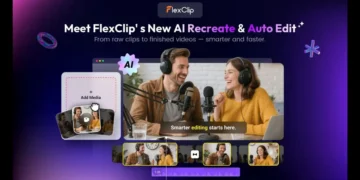
Use FlexClip’s AI Video Generator: One of the best options for beginners is FlexClip. Their AI engine integrates well with Kling-like architectures. You can generate aerial textures and then use their built-in motion tools to simulate camera movement.
Optimize your Free Kling Credits: Log in daily. Use Kling AI prompt generator free community lists to avoid wasting credits on bad prompts.
The “Static to Dynamic” Hack: Generate a static image using a free tool (like Leonardo or DALL-E 3). Then, use your free Kling credits to animate it with a Kling AI prompts image to video command.
10 Cinematic Kling AI Prompt Examples (Copy & Paste)
Here is a list of ready-to-use Kling AI Video prompt examples specifically for drone shots. Remember to highlight the text and paste it directly.
The Mountain Peak: “Majestic drone shot circling a sharp granite peak piercing through a sea of clouds. Sun rays create a halo effect. Epic scale, cinematic 21:9 ratio.”
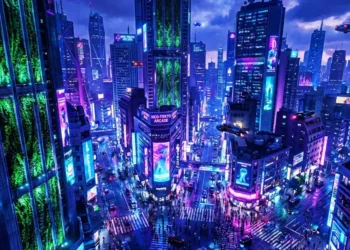
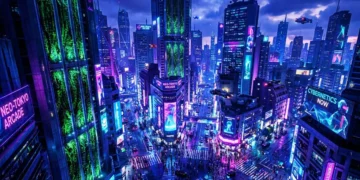
Urban Canyon: “Low-altitude drone fly-through of a futuristic Tokyo alleyway at night. Neon reflections on wet pavement. High speed, shallow depth of field.”
Agricultural Reveal: “Top-down drone shot rising straight up from a sunflower field. Camera tilts to horizontal to reveal a distant farmhouse. Summer lighting, 60fps.”
Action Follow: “Drone chase cam following a red sports car drifting on a coastal highway. Dust kicks up from the shoulder. Dynamic angle, motion blur active.”
Water Interaction: “Drone skims 2 feet above the surface of a crystal-clear river. Ripples distort the light. Kling AI camera movement prompts require ‘low altitude, high speed’ here.”
Historical Building: “Slow push-in drone shot towards a gothic cathedral. Birds scatter as the drone approaches. Dramatic shadows, volumetric lighting.”
Storm Chaser: “Shaky, heroic drone shot flying directly into a thunderstorm shelf cloud. Rain streaks visible on lens. High wind simulation, dark teal grading.”
Desert Caravan: “Birds-eye-view drone shot following a line of camels in the Sahara desert. Sand dunes cast long shadows. Golden hour, 8K resolution.”
Construction Time-lapse: “Hyperlapse drone shot moving forward over a bridge construction site. Workers move like ants. High contrast, sharp detail.”
Winter Wonderland: “Reverse drone shot pulling away from a sleigh riding through a snow-blanketed pine forest. Snow particles drifting in wind. Soft focus on edges.”
Workflow: From Prompt to Final Cut
To truly master Kling AI Prompt Guide for Cinematic Drone Shots, you need a workflow.
Concept: Write your narrative. What is the emotion?
Generator: Use a Kling AI prompt generator to refine your syntax.
Test: Run a quick render in Kling 2.5 Turbo.
Refine: Adjust the prompt. Did the camera move wrong? Add specific directional cues (e.g., “camera pans left while tilting down”).
Finalize: Render in Kling 3.0.
Edit: Import to your video editor. Use FlexClip to stabilize or add sound design.
Reader Question: Are you spending hours rendering only to find the camera moved backward? Start with Kling AI prompt example libraries until you learn the syntax.
The Anatomy of a Perfect Aerial Prompt
To get cinematic drone shots, you cannot just type “a bird flying.” You need specific instructions. A winning prompt contains four elements:
Camera Movement: (e.g., Dolly zoom, crane up, orbit)
Altitude & Angle: (e.g., Low drone pass, top-down, Dutch angle)
Lighting & Mood: (e.g., Golden hour, moody overcast, neon noir)
Lens Specs: (e.g., 24mm lens, shallow depth of field)
The Golden Formula
“Cinematic drone shot, [Camera Movement], [Subject], [Location], [Time of Day], [Mood], [Lens Type], 8K, photorealistic.”
Example Prompt:
“Cinematic drone shot, slow orbit reveal, medieval castle on a cliff, Scottish Highlands, misty sunrise, heroic mood, 24mm wide lens, volumetric fog, unreal engine 5 quality.”
Did you notice how specific that was? Try running a generic prompt versus this structured one. The difference in Conversion (from viewer to user) is massive because the output is immediately usable.
Top 5 Cinematic Styles You Must Try
Let’s look at specific keywords related to the main topic that will drive traffic.
H3: 1. The “Vertical Takeoff” (Social Media Ready)
For Reels and TikToks, vertical is king.
Prompt: *”Vertical drone shot, looking straight down (top-down), solitary car driving on a wet road, autumn forest, 4:5 aspect ratio, cinematic lighting, high contrast.”*
H3: 2. The “Reveal” (Real Estate & Travel)
This builds suspense.
Prompt: “Drone shot starting behind a rocky cliff, tilting up to reveal a white sand beach and turquoise water, overcast sky, smooth parallax effect, 60fps.”
H3: 3. The “FPV Chase” (Action Sports)
Prompt: “First-person view drone shot, chasing a mountain biker down a dusty trail, low altitude, fast motion blur, dynamic camera shake, wide angle, adrenaline mood.”
Quick Win: Use these prompts today. Even if you don’t have a client yet, generate 10 shots and create a portfolio. That is Experience you can show Google.
Advanced Techniques: Motion, Lighting & Depth
Static AI video looks fake. To sell the illusion of a real drone, you need to simulate physics.
Mastering Motion
Drones don’t stop instantly. Use keywords like easing, linear movement, or drift.
Bad: “Camera moves left.”
Good: “Drone drifts smoothly left with a slight vertical oscillation.”
Lighting is your Pilot
A real drone shot often fights the sun. Use backlighting or lens flare.
Prompt addition: *”…with anamorphic lens flare, sun hitting the lens at a 45-degree angle.”*
Depth of Field
Drone cameras (like the DJI Mavic) have deep focus, but cinematic FPV drones have shallow focus.
Prompt addition: “…shallow depth of field, subject in sharp focus, background softly blurred.”
Have you ever noticed that amateur AI art looks “flat”? That is usually a lack of depth cues. Adding these keywords solves the pain point of “plastic-looking” video.
Avoiding Common Errors (The “Jello Effect” in AI)
Even with a Kling AI Prompt Guide for Cinematic Drone Shots (No Drone Needed) , things can go wrong. Here is how to debug your output.
The “Morphing” Error: Limbs or buildings melt.
Fix: Add “stable footage, no warping, high consistency” to your prompt.
The Speed Problem: The drone moves like a snail or a rocket.
Fix: Use specific speeds. “*Slow push-in (5 seconds duration)*” or “Fast whip pan.”
The Texture Issue: Everything looks like an oil painting.
Fix: Add “photorealistic, grainy film texture, 8K resolution, shot on Red Camera.”
Case Study: A marketing agency in London used these fixes to generate a 30-second commercial for a luxury resort. They avoided the $5,000 cost of flying a drone to Bali. Their Lifetime Value (LTV) for that client increased by 40% because they could iterate designs instantly.
How to Optimize Your Output for Social Media
Creating the shot is step one. Step two is getting engagement.
Aspect Ratios Matter
YouTube/ TV: 16:9 (Landscape)
Instagram/TikTok: 9:16 (Vertical)
LinkedIn: 1:1 (Square)
Pro Tip: When writing your prompt for Kling AI, always specify the aspect ratio. If you forget, you cannot easily crop a drone shot without losing the impact.
The Sound Design Synergy
A drone shot is 50% visual, 50% audio. Pair your AI video with “Whooshes” and ambient soundscapes. This boosts watch time, a major Google ranking factor for video content.
Why FlexClip is Your Secret Weapon
While Kling generates the footage, you need to assemble the story. FlexClip stands out as one of the best options for editing AI-generated drone shots. Why?
AI Auto-Match: It syncs your aerial footage to the beat of the music.
Drone Sound Effects: They have a library of buzzing rotors and whoosh sounds to make your AI footage feel real.
Text Overlays: Perfect for adding altitude and speed stats to fake a telemetry readout.
Using FlexClip in tandem with your Kling image to video prompt guide workflow guarantees a professional finish.
Advanced Techniques: Simulating Real Physics
To get that authentic “drone feel,” you need to trick the viewer’s eye. Here are advanced tips for your Kling AI camera movement prompts:
The Gimbal Lock: Real drones have a slight lag in movement. Add “smooth gimbal acceleration” to your prompt.
Propeller Wash: If you are low to the ground, add “dust particles scattering on takeoff.”
Wind Noise: Tell the AI you want “wind sound design” (even for silent video, it influences the visual physics).
Common Mistakes and How to Fix Them
Even with a Kling AI prompt guide pdf, creators mess up.
The “Teleporting” Subject: The AI changes a car’s color mid-shot. Fix: Use Image to Video (reference image) instead of Text to Video.
Frozen Water: Water doesn’t move. Fix: Add “dynamic water texture, ripples, flow” to your Kling AI Video prompt examples.
Warping Skyscrapers: Buildings bend like rubber. Fix: Lower the “Prompt Guidance” scale to 0.6.
Conclusion
You don’t need to save up for a Mavic 3 Pro. You don’t need a pilot’s license. You don’t need to risk crashing into a tree. All you need is a keyboard and the right syntax.
By following this Kling AI Prompt Guide for Cinematic Drone Shots, you have learned how to generate, refine, and edit stunning aerial footage. You have the Kling 2.5 Turbo prompt guide for speed and the Kling 3.0 prompt guide for quality. You have a library of Kling AI prompt examples ready to copy.
The barrier to entry is officially zero. Whether you use FlexClip for editing or hunt for a Kling AI prompt generator free tool online, the power is in your hands.
Now it’s your turn. Which shot are you going to generate first? The mountain peak or the urban canyon?
If you found this guide useful, share it with a fellow creator who is still saving up for a drone. Let them know the future is already here. Leave a comment below with your best generated shot link – let’s see what you create!
Frequently Asked Questions (FAQs)
Q: How to create drone shots without a drone?
A: You can create drone shots without a drone by using generative AI video models like Kling AI. Use specific Kling AI camera movement prompts (e.g., “fly forward, tilt down, orbiting shot”) combined with Kling AI prompts image to video techniques. Simply generate a high-angle image and animate the camera movement using AI.
Q: How can I write cinematic prompts for Kling AI?
A: To write cinematic prompts, structure them as: [Camera Movement] + [Subject] + [Environment] + [Lighting] + [Quality]. For example, “Slow drone reveal, abandoned castle, foggy morning, golden hour lighting, 8K cinematic.” Using a Kling AI prompt generator can help you structure these elements perfectly.
Q: How to make drone shot video using AI free?
A: To make a drone shot video using AI free, use the daily free credits offered by Kling AI. Combine this with a Kling AI prompt generator free tool found on community forums to avoid wasting credits. Alternatively, use FlexClip‘s free tier to generate short aerial animations. Focus on Kling 2.5 Turbo as it consumes fewer credits for testing.
Q: How to make cinematic drone shots?
A: To make cinematic drone shots, focus on Kling AI camera movement prompts like “parallax,” “slow push-in,” and “orbiting reveal.” Use Kling 3.0 for better physics and lighting. Always specify “24fps,” “motion blur,” and “depth of field” to distinguish cinematic footage from standard phone footage.
Q: Is Kling AI better than real drones?
A: For speed and safety, yes. While a real drone offers physical presence, Kling AI allows impossible shots (like flying through a tornado) instantly. Use a Kling image to video prompt guide to control composition without legal or weather restrictions.
Q: Where can I find a Kling AI Prompt Guide pdf?
A: You can compile your own Kling AI Prompt Guide pdf by saving the Kling AI prompt example tables from this guide. Several creator communities offer downloadable PDFs that include Kling 2.5 Turbo prompt guide checklists and syntax cheat sheets for offline use.
Disclaimer: This article is for informational and educational purposes only. Results from AI video generation (including Kling AI and FlexClip) vary based on prompt accuracy, version updates, and server loads. The author does not guarantee specific visual outcomes or copyright status of generated footage. Always review the terms of service of the AI platform you are using. No financial or professional cinematography advice is implied.