

You ask Claude to prepare a report for a client. The system drafts an acceptable summary, but it can’t view the spreadsheet, extract data from Google Drive, access the CRM, or follow your agency’s reporting format. So you copy files, paste in the context, correct the result, and repeat the same instructions every week.
Then someone mentions Claude Skills and MCP. Both promise to make Claude more useful. Both sound technical. And both are often confused with each other.
Here is the simple distinction:
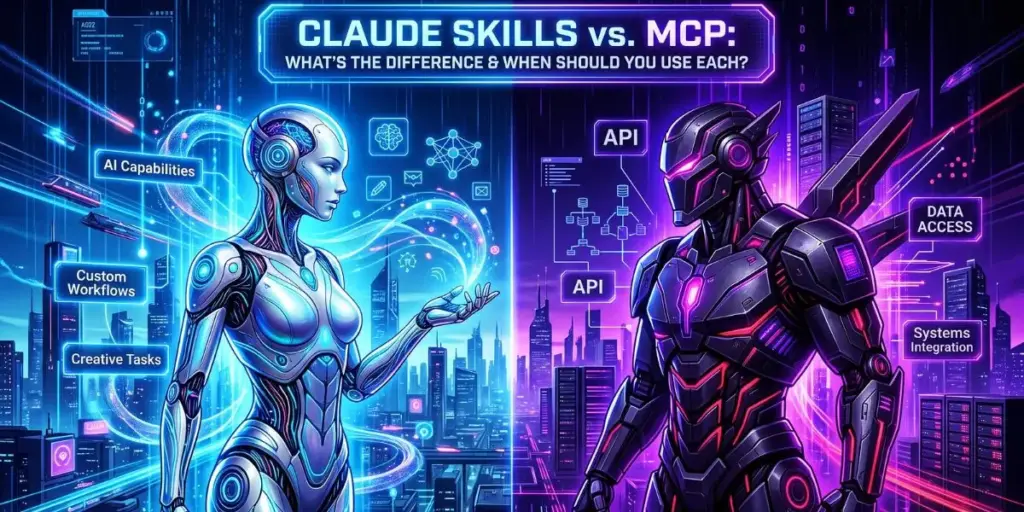
Claude Skills teach Claude how to perform a task. MCP gives Claude access to the tools and data it needs to perform that task.
Anthropic’s Agent Skills are reusable instruction packages—often including a SKILL.md file, scripts, and reference materials—that Claude loads when a request matches the skill. MCP, or Model Context Protocol, is an open standard that connects AI models to external tools, data sources, and services.platform.claude+1
This guide explains the difference, shows real examples, and helps you decide when to use Skills, MCP, or both.
What Are Claude Skills?
Claude Skills are modular, reusable task packages that give Claude specialized instructions, context, and sometimes scripts for a specific job. Think of them as a playbook Claude can load on demand.
A Skill can teach Claude how to:
-
Write a monthly client report in your agency’s format.
-
Audit a WordPress site for SEO issues.
-
Turn a blog post into LinkedIn, X, and email content.
-
Analyze a spreadsheet and create a summary.
-
Follow your company’s brand voice.
-
Process PDFs, Word documents, Excel files, or PowerPoint decks.
Anthropic provides prebuilt Agent Skills for common document tasks, and developers can create custom Skills. Once a Skill is available, Claude can use it when the request matches its purpose.
What Is Inside a Skill?
A Skill commonly includes:
-
SKILL.md: The main instruction file.
-
Reference documents: Brand guidelines, templates, examples, or style rules.
-
Scripts: Optional code for repeatable tasks.
-
Workflow steps: How Claude should approach the task.
-
Output rules: Format, tone, structure, and quality checks.
A Skill is not a new AI model. It is reusable expertise packaged for Claude to apply consistently.
What Is MCP?
MCP, or Model Context Protocol, is an open standard that lets AI models connect securely to external tools, data sources, and services. Anthropic open-sourced MCP in November 2024, and it has since become a major building block for agentic AI systems.
MCP answers a different question from Skills.
-
Skills: “How should Claude do this task?”
-
MCP: “What tools, files, systems, or services can Claude access?”
With MCP, Claude can connect to systems such as Google Drive, GitHub, Slack, Notion, databases, CRMs, cloud platforms, and custom internal tools.
How MCP Works
An MCP server acts as a bridge between the AI model and an external system.
-
Claude receives a request.
-
Claude identifies that it needs information or an action from an external tool.
-
The MCP server exposes approved tools, resources, or actions.
-
Claude calls the appropriate tool.
-
The external system returns data or performs the action.
-
Claude uses that result to continue the task.
For example, an MCP server for Google Drive might let Claude search files, read documents, or retrieve context. An MCP server for GitHub might let Claude inspect repositories, open issues, or review code.
Claude Skills vs. MCP: The Core Difference
Use Claude Skills when you need repeatable expertise. Use MCP when Claude needs access to external systems. Use both when a task requires specialized instructions and live data.
| Feature | Claude Skills | MCP |
|---|---|---|
| Main purpose | Teach Claude how to perform a task | Connect Claude to tools and data |
| Format | Instructions, templates, scripts, reference files | Servers, tools, resources, actions |
| Example | “Write client reports in our agency format” | “Read this Google Drive folder” |
| Best for | Consistency, quality, brand voice, workflows | Live data, integrations, automation |
| Requires external system? | Not necessarily | Yes |
| Example output | A report, audit, email, or content draft | File data, CRM records, GitHub issues, database results |
| Think of it as | A playbook | A connection layer |
A Skill can tell Claude exactly how to create a monthly SEO report. MCP can give Claude access to Search Console exports, Google Analytics data, Google Drive files, or a reporting spreadsheet. Together, they turn a chatbot into a useful workflow assistant.
When Should You Use Claude Skills?
Use Claude Skills when the same task needs to be repeated with consistent quality. They are ideal for teams that rely on templates, brand guidelines, standard operating procedures, or recurring deliverables.
Good Use Cases for Skills
-
Content repurposing: Turn one article into LinkedIn posts, X threads, newsletters, and video scripts.
-
SEO audits: Follow a consistent audit framework and output format.
-
Client reporting: Create monthly reports using your agency’s structure.
-
Sales proposals: Generate proposals using approved pricing, positioning, and case studies.
-
Onboarding: Turn internal documentation into a guided assistant.
-
Document processing: Extract, summarize, or reorganize PDFs, Word files, Excel sheets, and presentations.
-
Brand voice: Ensure every output follows your tone and terminology.
Anthropic’s documentation highlights prebuilt Skills for PowerPoint, Excel, Word, and PDF tasks, as well as the ability to build custom Skills.
Example: SEO Content Skill
A marketing agency could create a Skill called SEO Content Brief Creator.
The Skill might include:
-
Target audience definition.
-
Keyword research rules.
-
Search-intent framework.
-
Internal-linking guidelines.
-
Brand voice rules.
-
Required H2 and H3 structure.
-
FAQ and schema recommendations.
-
Quality-control checklist.
Then, whenever someone says, “Create a brief for ‘best CRM for small business,’” Claude follows the same process every time.
When Should You Use MCP?
Use MCP when Claude needs information from, or the ability to act in, an external system. Without MCP, Claude can only work with what you paste into the chat or upload directly.
Good Use Cases for MCP
-
Google Drive: Find and read client documents.
-
GitHub: Review repositories, issues, and pull requests.
-
Slack: Search conversations or retrieve team context.
-
Notion: Access internal documentation.
-
CRM systems: Retrieve customer records or update deal stages.
-
Databases: Query approved data sources.
-
Cloud platforms: Manage infrastructure or retrieve operational data.
-
Custom internal tools: Connect Claude to proprietary business systems.
Google Cloud, for example, offers managed MCP servers that allow AI agents to manage cloud infrastructure and work with BigQuery data. ImageKit has also expanded its MCP offering with governance and access controls for media workflows.
Example: Client Reporting With MCP
A marketing agency wants Claude to prepare a monthly performance report.
Without MCP:
-
Export Search Console data.
-
Export Google Analytics data.
-
Download ad-platform reports.
-
Upload files to Claude.
-
Paste reporting instructions.
-
Correct missing context.
-
Repeat next month.
With MCP:
-
Claude connects to approved data sources.
-
It retrieves the relevant reports.
-
It follows the agency’s reporting Skill.
-
It drafts the report in the correct format.
-
A human reviews the numbers before delivery.
The workflow becomes faster, but it also becomes more powerful—and therefore more sensitive.
When Should You Use Both?
Use Skills and MCP together when a task requires both specialized instructions and live access to business systems. This is where AI agents become genuinely useful.
Example: Monthly SEO Report Agent
Imagine an agency wants Claude to create a client SEO report.
Claude Skill: Monthly SEO Report
The Skill contains:
-
Report structure.
-
Executive-summary format.
-
KPI definitions.
-
Tone of voice.
-
Chart recommendations.
-
Quality-control checklist.
-
Rules for flagging anomalies.
MCP connections:
-
Google Drive for previous reports.
-
Google Search Console for performance data.
-
Google Analytics for traffic and conversions.
-
Slack for client-specific context.
-
A CRM or project-management tool for tasks and deliverables.
The combined workflow might look like this:
-
The agency asks: “Prepare the October SEO report for Client X.”
-
MCP retrieves the approved data sources.
-
Claude compares current performance with prior months.
-
The Skill applies the agency’s reporting format.
-
Claude identifies major changes, wins, issues, and next steps.
-
A strategist reviews the draft before sending it to the client.
The Skill ensures consistency. MCP ensures the report uses current data.
Security: The Part Most People Skip
Skills and MCP both increase Claude’s usefulness, but they also increase the importance of access control. A Skill can shape behavior. An MCP connection can expose files, databases, customer records, or the ability to take actions.
Treat AI access like employee access.
Security Checklist
-
Use dedicated service accounts instead of personal credentials.
-
Apply least-privilege permissions.
-
Restrict which folders, repositories, and records Claude can access.
-
Require human approval for irreversible actions.
-
Log prompts, tool calls, arguments, and outputs.
-
Review third-party Skills before installing them.
-
Avoid connecting production systems during early testing.
-
Rotate credentials and revoke access when a project ends.
-
Monitor for unusual tool usage or unexpected data access.
A Skill downloaded from the internet is not automatically safe. It may contain instructions, scripts, or references that influence how Claude behaves. Review it before installing it, especially if it requests broad permissions or connects to sensitive systems.
Pro tip: Start with read-only MCP access. Let Claude retrieve information before you allow it to create, update, delete, send, or publish anything.
Case Study: A Marketing Agency Builds a Content System
A small agency publishes blog posts for 12 clients. Every week, writers need to turn each article into:
-
A LinkedIn post.
-
Three X posts.
-
An email newsletter section.
-
A YouTube script outline.
-
Internal notes for the client.
Without AI, this takes hours per client.
Step 1: Create a Repurposing Skill
The agency creates a Skill called Content Repurposing System.
It includes:
-
Client voice guidelines.
-
Platform-specific formats.
-
Hook formulas.
-
Hashtag rules.
-
CTA templates.
-
Compliance rules.
-
Quality checklist.
Step 2: Connect MCP
The agency connects Claude to:
-
Google Drive, where articles and brand guidelines live.
-
Notion, where the content calendar is stored.
-
Slack, where client feedback arrives.
Step 3: Run the Workflow
A strategist says:
“Take the new blog post for Client X from Drive, create one LinkedIn post, three X posts, and an email section. Follow the client’s voice guide and add the draft to the content calendar.”
Claude uses MCP to retrieve the article and guidelines. It uses the Skill to apply the agency’s process. A human reviews the drafts before publishing.
The result is not “AI replaces the agency.” The result is that the agency spends less time copying, formatting, and remembering instructions—and more time improving strategy.
Common Mistakes to Avoid
-
Using MCP when a Skill is enough. If Claude only needs instructions, do not connect external systems.
-
Using a Skill when live data is required. A Skill cannot read your CRM unless MCP gives it access.
-
Giving Claude broad permissions. Start small and expand only when needed.
-
Installing unreviewed Skills. Treat them like third-party software.
-
Assuming output is accurate. Verify facts, numbers, links, and customer-specific details.
-
Skipping human approval. Agents should not send emails, publish content, or delete records without oversight.
-
Building for demos instead of workflows. Start with a task your team repeats every week.
FAQs
What is the difference between Claude Skills and MCP?
Claude Skills teach Claude how to perform a specific task using instructions, templates, and reference files. MCP connects Claude to external tools and data sources, such as Google Drive, GitHub, Slack, or a CRM.
Do Claude Skills need MCP?
No. A Skill can work entirely from its instructions and uploaded context. MCP becomes necessary when Claude needs live access to external systems or must perform actions in connected tools.
Can Claude Skills access my Google Drive?
Not by themselves. A Skill provides instructions and workflow context. To access Google Drive, Claude needs an appropriate MCP connection or another approved integration.
Are Claude Skills safe to install?
They can be safe, but review them first. A Skill may include instructions, scripts, or references that influence Claude’s behavior, so check its source, permissions, and any code before installing it.
Should small businesses use Skills or MCP first?
Start with Skills. They are easier to implement and improve consistency for repeated tasks. Add MCP once you need Claude to retrieve live data or act inside tools such as Drive, Slack, Notion, or a CRM.
Next Steps
Claude Skills and MCP are not competing features. They solve different halves of the same problem.
Skills make Claude consistent. MCP makes Claude connected.
Start with one repeated task—such as client reporting, content repurposing, or SEO audits. Build a Skill that captures your process. Then add MCP only when Claude needs live access to files, tools, or business systems.
That is how you move from asking an AI chatbot for help to building a reliable AI workflow.