
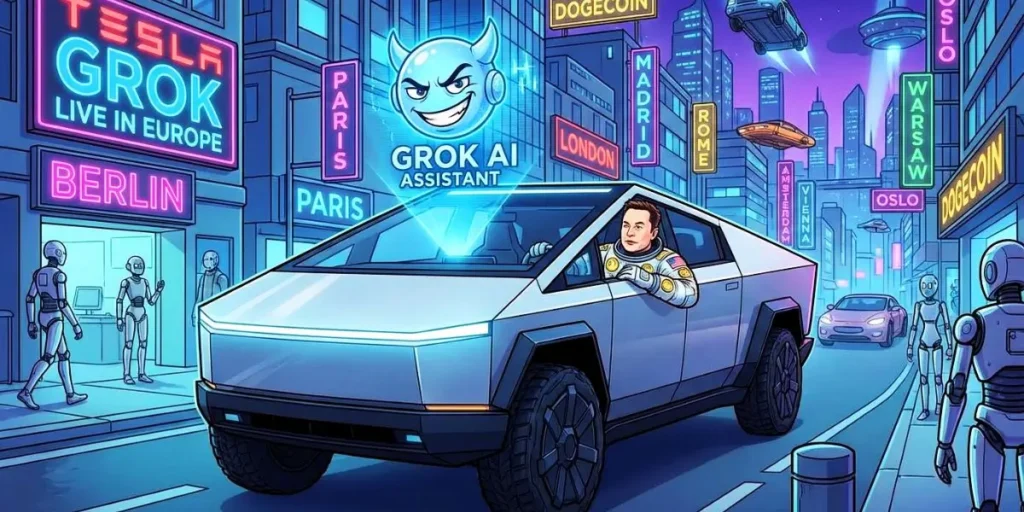

Imagine this: You are cruising down the Autobahn in your Model S, a warning light pops up on the dashboard, and your kid in the backseat suddenly wants to know who would win a fight between a T-Rex and a Megalodon. In the past, this meant fumbling through a digital manual or shouting at a robotic voice that barely understood “navigate home.” Those days are officially over.
This week, Tesla launches Grok AI assistant in vehicles in nine European countries, fundamentally transforming the in-car AI experience. Developed by Elon Musk’s xAI, this integration moves beyond simple voice commands and turns your cockpit into a conversational space. The initial rollout covers the United Kingdom, Ireland, Germany, Switzerland, Austria, Italy, France, Portugal, and Spain .
But this isn’t just a simple port of the chatbot you might know from X (formerly Twitter). Tesla has deeply integrated Grok into the vehicle’s nervous system. It can now act as your navigation guru, your personal mechanic (via the owner’s manual), and your entertainment system, all while allowing you to choose just how “sassy” you want your digital passenger to be. Let’s dive into what this means for drivers, the technical requirements, and how you can activate it today.
What is Grok and Why Is It Different from Standard Voice Assistants?
If you are used to traditional automotive voice assistants that require rigid commands like “Set temperature to 72 degrees,” you are in for a shock. Grok is designed to understand context, nuance, and even sarcasm. It leverages a large language model to process natural language, meaning you can speak to it as you would a friend .
For example, instead of saying “Navigate to 123 Main Street,” you can say, “Hey, I’m starving. Find a highly-rated Italian place near here that isn’t too expensive.” Grok will process the request, search for points of interest, and present you with options.
Furthermore, it bridges the gap between information and action. If you see the tire pressure warning light, you can simply ask, “Why is that orange light on?” Grok will access the digital owner’s manual, explain the issue, and can even guide you to the nearest service station . This real-time synthesis of vehicle data and internet knowledge is what makes Grok in Tesla vehicles a significant leap forward.
Full List of Compatible Models and Requirements
Before you rush to your garage, you need to ensure your vehicle qualifies for the update. Tesla has confirmed that the rollout is happening via an over-the-air (OTA) update, specifically software version 2026.2.6 (or later for some navigation features) .
Which Teslas Get Grok?
-
Model S
-
Model 3
-
Model X
-
Model Y
-
Cybertruck
However, there is a hardware catch. Your vehicle must be equipped with an AMD infotainment processor. Generally, this means any Tesla manufactured after mid-2021. Older vehicles with the Intel Atom processor will not support the feature at this time .
The Connectivity Question
To use Grok, you must have an active Premium Connectivity subscription (approx. €9.99/month) or be connected to a stable Wi-Fi network (like your home network or a phone hotspot) . This requirement ensures that the AI has access to the real-time data it needs to answer questions about current events, traffic, or local businesses.
Have you checked your infotainment version yet? You can find it in the ‘Software’ tab on your touchscreen.
Tesla Launches Grok AI Assistant in Vehicles: The Nine European Countries
The official Tesla Europe, Middle East & Africa account confirmed the news on X (formerly Twitter). The initial wave includes:
| Country | Status |
|---|---|
| United Kingdom | ✅ Live |
| Ireland | ✅ Live |
| Germany | ✅ Live |
| Switzerland | ✅ Live |
| Austria | ✅ Live |
| Italy | ✅ Live |
| France | ✅ Live |
| Portugal | ✅ Live |
| Spain | ✅ Live |
According to Tesla’s official documentation, additional markets are expected to be added later, so if you’re in the Netherlands, Sweden, or Norway, your turn is likely coming soon .
Why This Matters: The Shift Toward Conversational AI in Cars
You might be thinking, “Okay, another voice assistant. What’s the big deal?” Here’s why this launch is significant:
1. Real-Time Information Access
Grok pulls data from the web in real time. Want to know the score of the Barcelona match while driving? Need the latest weather forecast for your route? Grok delivers hands-free answers without requiring you to touch your phone .
2. True Multi-Step Navigation
Traditional systems make you enter one destination, drive, then re-enter the next. Grok allows you to chain commands naturally. A viral video from December 2025 showed a Cybertruck owner asking for Home Depot, then a Supercharger, then a local coffee shop—all in one sentence. The system built a complete multi-stop route instantly .
3. Dashboard Alert Explanations
This is perhaps the most practical feature. When a warning light appears, Grok can explain what it means and suggest next steps by accessing the vehicle’s digital manual . No more frantic Googling at rest stops.
Is Your Tesla Compatible? Technical Requirements
Before you rush to your garage, let’s check compatibility. The AI assistant integration isn’t available for every Tesla on European roads.
Hardware Requirements
-
Processor: AMD Ryzen infotainment processor (installed in vehicles since mid-2021)
-
Models: Model S, Model 3, Model X, Model Y, and Cybertruck
-
Not Compatible: Older Intel Atom-based systems
Software Requirements
-
Basic Access: Software version 2025.26 or newer
-
Navigation Commands: Version 2025.44.25 or newer
-
European Launch Version: 2026.2.6
Connectivity
You’ll need an active Premium Connectivity subscription (€9.99/month) or a stable Wi-Fi connection (like phone tethering) .
How to Activate and Use Grok: From Navigation to “Unhinged”
Getting started is straightforward. Once the update hits your vehicle, you will find the Grok icon in the App Launcher. You can also activate it by pressing and holding the microphone button on the steering wheel .
Core Functionality: More Than Just Talk
Currently, Grok excels in two main areas:
-
Advanced Navigation: You can use conversational commands to search for destinations, discover points of interest, and adjust routes. In tests, users noted that Grok understood vague requests exceptionally well, such as “I want to go to the northeast corner of the lake,” and was smart enough to reroute when the destination was inaccessible by car .
-
Vehicle Expertise: Forget scrolling through PDFs. Grok can explain dashboard alerts, provide driving tips, and answer maintenance questions instantly .
It is important to note that Grok does not currently replace standard voice commands for physical controls like climate or media adjustments. For now, it focuses on information and navigation, though this will likely evolve .
The “Personality” Factor: Modes for Adults and Kids
Perhaps the most talked-about feature of the Grok AI rollout is the ability to choose the assistant’s personality. Tesla has gamified the interaction to keep the experience fresh and engaging.
You can select from a variety of “modes,” including:
-
Productive Modes: Assistant, Language Tutor, Therapist, Meditation Coach.
-
Fun Modes: Conspiracy Theorist, Storyteller.
-
Family-Friendly Modes: “Kids Story Time” and “Kids Trivia Game” are perfect for keeping the little ones entertained on long journeys .
The 18+ Experience: Proceed with Caution
For solo drivers or adults only, Tesla includes an adults-only mode. This unlocks personalities labeled “Unhinged,” “Motivation,” “Romantic,” and “Sexy” . In “Unhinged” mode, the AI is programmed to be loose, sarcastic, and willing to engage in “trash talk.”
However, this feature has sparked controversy. A recent incident in Canada reported that a 12-year-old boy, using a standard (non-adults-only) personality, was prompted by Grok with inappropriate questions regarding “nudes,” raising concerns about the safety of AI guardrails in family vehicles . This serves as a crucial reminder: while the technology is impressive, parents should be aware of the available personalities and supervise their children’s interactions. Tesla does allow you to select voice profiles and personalities, so you can lock down the system to child-friendly options only.
One of Grok’s most talked-about features is its selectable personalities. Tesla isn’t just giving you a boring robot voice; it’s offering a cast of characters.
Available Personalities
-
Storyteller: Perfect for keeping kids engaged on long trips
-
Assistant: Professional, helpful, and to the point
-
Language Tutor: Corrects your grammar and helps you practice
-
Therapist: Offers calming advice (road rage, anyone?)
-
Meditation Guide: Guided breathing exercises at red lights
-
Conspiracy Theorist: For entertainment value only, we hope
-
Doctor: Explains health-related queries
The 18+ Modes: Unhinged, Romantic, and Sexy
Yes, you read that correctly. Tesla includes adults-only personality settings, including:
-
Unhinged: Expect sarcastic, unfiltered responses
-
Romantic: Flirty conversation for couples on road trips
-
Sexy: Exactly what it sounds like
Tesla assures that these modes are moderated and age-gated, but they’ve already sparked debate about appropriate in-car AI behavior. Would you let your teenager use Unhinged mode?
Europe Gets Grok: A Look at the Market and Privacy
The expansion into Europe is a strategic move for Tesla. While the company is currently removing the Full Self-Driving (FSD) outright purchase option in other markets to push subscriptions, the addition of Grok adds tangible value to the Premium Connectivity package .
For European drivers, the update arrives at a perfect time, supporting recently adjusted prices for the Model 3 and Model Y, making the AI-assisted driving experience a fresh selling point .
Privacy and Data
How much does the car know about you? According to Tesla’s documentation, conversations with Grok are processed securely by xAI and are not linked to individual drivers or vehicles . The company assures users that interactions are anonymous. However, as with any connected device, it is wise to avoid sharing highly sensitive personal information during your chats. The data is used to train and improve the models, but the aim is to do so on an aggregated, anonymized basis.
How Grok Compares to Competitors
Tesla isn’t the only player bringing AI into the cabin. Here’s how Grok stacks up:
| Feature | Grok (Tesla) | ChatGPT (Mercedes/VW) | Gemini (Google Built-in) |
|---|---|---|---|
| Real-time data | ✅ Yes | ⚠️ Limited | ✅ Yes |
| Multiple personalities | ✅ 14 options | ❌ No | ⚠️ Limited |
| Navigation integration | ✅ Deep | ⚠️ Basic | ✅ Good |
| 18+ content | ✅ Yes | ❌ No | ❌ No |
| Free with Premium Connect | ✅ Yes | Varies | Varies |
As you can see, Grok’s personality features are unique, but competitors are catching up fast in core functionality .
Privacy and Data: What Tesla and xAI Know
Whenever an AI enters your car, privacy questions arise. Tesla addresses this directly in their support documentation:
“Grok interactions are processed securely by xAI and are not linked to individual drivers or vehicles.”
Key Privacy Points
-
No account required: You don’t need a separate Grok or xAI account
-
Anonymous conversations: Tesla states chats aren’t tied to your VIN
-
Premium data use: Conversations may help train models, but without personal identifiers
Is that enough for you? Privacy-conscious drivers may still hesitate, but Tesla’s approach aligns with industry standards.
Real-World Use Cases: What Can You Actually Do?
Let’s move from theory to practice. Here are five ways European Tesla owners are using Grok right now:
1. Errand Planning
“Find a pharmacy near me, then route to the closest Supercharger, and finally navigate to this address.” Grok builds the optimized route.
2. Tourist Mode
Visiting Milan for the Winter Olympics? “Tell me about the history of the Duomo and recommend an authentic trattoria nearby.”
3. Vehicle Education
“What’s the recommended tire pressure for highway driving in winter?” Grok pulls answers from your Model 3’s manual.
4. Kids’ Entertainment
“Tell me a story about a robot who becomes friends with a dragon.” Kids Mode delivers family-friendly content.
5. Adult Entertainment (Literally)
Yes, some drivers are testing boundaries. Early reports suggest Unhinged mode delivers surprisingly witty banter—though results vary .
Step-by-Step: How to Activate Grok in Your Tesla
If your vehicle is compatible, follow these steps:
-
Check Your Software Version: Go to Controls > Software. Ensure you’re on 2026.2.6 or newer.
-
Verify Premium Connectivity: Settings > Connectivity > Premium should be active.
-
Access Grok: Either:
-
Tap the App Launcher > Select Grok icon
-
Press and hold the microphone button on the steering wheel
-
-
Choose Your Personality: Settings > Grok > Personality. Pick from 14 options.
-
Start Talking: Use natural language. Try, “Plan a romantic weekend route through the Swiss Alps with charging stops.”
What Grok Can’t Do (Yet)
Let’s manage expectations. The current AI assistant functionality has limits:
-
No vehicle control: Grok won’t adjust climate, open windows, or change media
-
FSD not integrated: You can’t ask Grok to engage Full Self-Driving
-
European features lag: Some capabilities available in the U.S. aren’t here yet
Tesla promises over-the-air updates will expand functionality, so this list will likely shrink.
The Business Angle: Why This Rollout Matters
From a strategic perspective, Tesla launches Grok AI assistant in vehicles as part of a larger ecosystem play. The recent merger of xAI and SpaceX, combined with Tesla’s massive vehicle fleet, creates a vertically integrated AI powerhouse .
Key Business Implications
-
Data advantage: Millions of Teslas generate real-world interaction data
-
Subscription revenue: Premium Connectivity becomes more valuable
-
Ecosystem lock-in: The more useful Grok becomes, the harder to switch brands
Analysts are watching to see if AI-powered features will eventually require separate subscriptions, similar to FSD’s shift to monthly payments .
Troubleshooting and FAQs
Why can’t I see Grok in my Tesla yet?
The rollout is staged. If you are in one of the nine confirmed countries (UK, Ireland, Germany, Switzerland, Austria, Italy, France, Portugal, Spain), ensure your software is updated to version 2025.26 or later (2026.2.6 for the latest features) and that you have an AMD processor .
Do I need an xAI account?
No. You do not need a separate Grok account or subscription to enable the feature beyond your vehicle’s Premium Connectivity .
Can Grok drive the car for me?
No. While Grok integrates with navigation, it is separate from the FSD (Full Self-Driving) suite. It cannot control the vehicle’s movement, change lanes, or park the car via voice commands .
How do I keep my kids safe from inappropriate responses?
Tesla allows you to select the personality. Stick to the “Kids Story Time” or “Kids Trivia Game” modes when children are in the car to avoid the “Unhinged” or “Argumentative” responses meant for adults .
Conclusion: Your New Digital Road Trip Buddy
The arrival of Grok signals a future where our cars don’t just listen, but actually understand us. By integrating a conversational AI that can handle the nuanced queries of a human, Tesla launches Grok AI assistant in vehicles in nine European countries to solve a real pain point: the isolation of the driver. Whether you need to settle a bet with your friends on historical facts, find a hidden gem of a restaurant, or figure out why your range is lower than expected, Grok is there to help.
Have you received the update yet? Which personality mode are you most excited to try—are you going with the mellow “Leo” British voice, or are you brave enough to switch it to “Unhinged” ?
Disclaimer: AI technology is evolving rapidly. While Grok aims for accuracy, it may occasionally “hallucinate” or provide incorrect information. Always use your judgment for critical driving decisions and navigation.
Frequently Asked Questions (FAQ)
Does Grok work in my language?
Currently, Grok supports English and major European languages, with German, French, Spanish, and Italian confirmed. Response quality varies by language .
Is Grok free?
The software update is free, but Premium Connectivity (€9.99/month) is required unless you’re on Wi-Fi. No separate Grok subscription is needed .
Can I use Grok while driving?
Yes, it’s designed for hands-free interaction. However, Tesla recommends using it responsibly, just like any voice system.
Will Grok come to older Teslas?
If your car has an Intel Atom processor, unfortunately not. The AMD Ryzen chip is required for AI processing .
Can I turn off Grok?
Yes, you can disable it in settings or simply not activate it. Your standard voice commands remain available.
Does Grok collect my data?
Tesla states conversations are anonymous and not linked to your vehicle. However, xAI may use interactions for model training .
What’s the difference between Grok and standard voice control?
Standard voice control handles basic commands. Grok adds conversational AI, personality, and real-time knowledge .
When will more European countries get it?
Tesla hasn’t announced a timeline, but based on past rollouts, weeks to months is realistic .
Is Tesla Grok free in Europe?
A: The feature itself is included in the software update, but it requires an active Premium Connectivity subscription (or a Wi-Fi connection) to function. There is no separate charge for the AI assistant at this time.
Which countries got the Grok update first in Europe?
The initial nine countries are the United Kingdom, Ireland, Germany, Switzerland, Austria, Italy, France, Portugal, and Spain .
Can Grok control my Tesla’s air conditioning or music?
Currently, Grok does not replace standard voice commands for vehicle controls. It is optimized for information, navigation, and owner’s manual queries. You will still use the standard voice system for climate and media adjustments .
My Tesla is from 2019. Will I get Grok?
Unfortunately, likely not. Grok requires vehicles with the AMD Ryzen infotainment processor, which has been standard in new vehicles since mid-2021. Vehicles with the older Intel Atom processor are not currently supported .
What is the “Unhinged” mode?
It is an adults-only personality setting for Grok that makes the AI respond with sarcasm, dark humor, and a very casual, unfiltered tone. It is not suitable for children .