
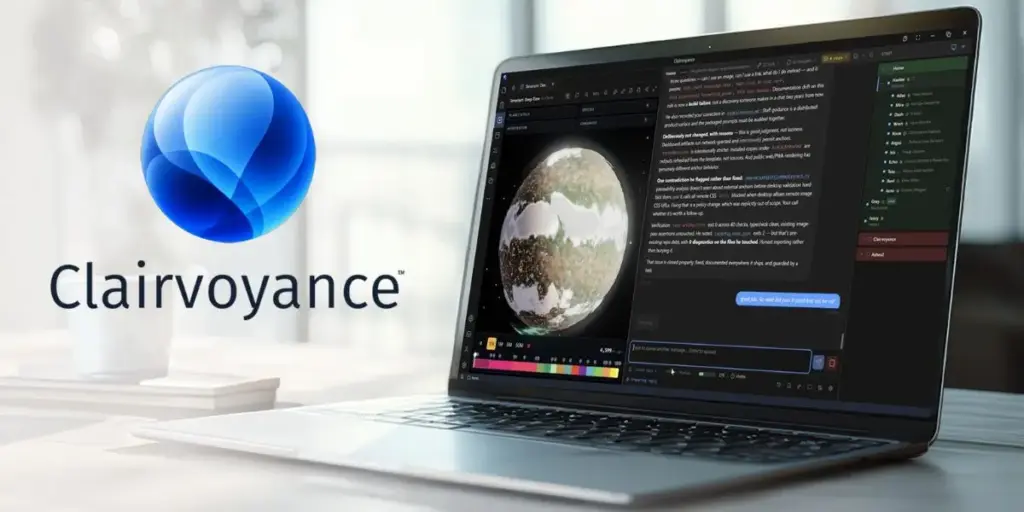

PLYMOUTH, Mich., August 25, 2026 – Stardock Software today released Clairvoyance 0.85, introducing Multiplayer AI, live AI agent sessions that multiple people can join and work in together, in real time. The work itself stays on the host’s computer, rather than in the cloud.
Clairvoyance is a local-first desktop application that gives users a staff of persistent AI agents. Because it runs on the user’s own machine, those agents work directly with the user’s local applications, files, and data, whether the intelligence behind them comes from cloud models such as Claude, Codex, Copilot, Cursor, and Grok, from local models running on the user’s own hardware, or from Clairvoyance’s built-in AI. Agents keep memory of the projects they support, communicate with one another, and deliver finished work including presentations, reports, dashboards, and interactive tools, all stored on the user’s machine.
With Multiplayer AI, a second person can now step into that work. A user building a data dashboard with their AI staff may find the numbers they need are owned by another colleague. They invite the colleague into the live session, and the colleague talks to the same agents and supplies the data directly, while the session and everything in it stays on the host’s machine. The same mechanism can also accelerate training, as working with AI agents is a genuine shift in how people work, and the fastest way to learn it is to sit inside a live session with an expert.
A “Google Docs” Moment for AI Agents
“Everyone understood Google Docs the first time they saw two cursors in one document,” said Brad Wardell, CEO of Stardock Software. “Multiplayer AI is that moment for AI agents but the difference is where it happens. With Clairvoyance, multiple team members are working with an agent on one person’s machine, rather than team members watching an agent work in a channel.”
Seamless Cross-Device Continuity
The same infrastructure now connects a user’s own machines. Clairvoyance 0.85 lets users jump into any of their AI sessions from any of their computers, whether Windows, Mac, or Linux. Start a research task on a desktop before leaving the house, and the same staff, the same memory, and the same in-progress work are waiting on a laptop an hour later, with no reconfiguring and no re-explaining context.
Directing Your Desktop From Your Pocket
A new iPhone app extends that reach to the phone as a user’s AI staff runs on their actual computers, with their actual applications and files, the app can direct real work from anywhere. Users can kick off a build, check in code, have Photoshop batch-process a folder of images, then collect the finished output back at the desk. The phone directs the work; the user’s own machines do it.
Availability and Pricing
Clairvoyance 0.85 is available today as a free download at clairvoyanceai.com for Windows, macOS, and Linux. The full application is free, with Pro adding cloud sync, team features, and included AI tokens for $20 per month.
About Stardock Software
Stardock Software has been building consumer and enterprise software for over 30-years with a track record of building Windows desktop utilities and PC games used by tens of millions of people. Clairvoyance, its local-first AI platform, began as an internal tool that Stardock’s own teams used and refined daily for two years before bringing it to market.
Conclusion
Clairvoyance 0.85 represents a significant shift in how we think about collaborative work with artificial intelligence. By keeping the processing power and data on the local machine while opening up real-time collaboration, Stardock is addressing the two biggest pain points for modern teams: data privacy and context switching. The ability to invite a coworker into your specific environment—rather than exporting files or sending screenshots—streamlines the workflow in a way that feels remarkably natural. Combined with the new cross-platform syncing and the iPhone app, Clairvoyance is making a compelling case that the future of AI agents isn’t just in the cloud; it is sitting right on your desk, waiting for your team to join you.
Frequently Asked Questions
1. How is this different from just using a shared cloud AI like ChatGPT or Claude?
The big difference is ownership and location. With cloud tools, the “brain” and the files often live on someone else’s server. With Clairvoyance, the brain (the agent) and the data live on your computer. When a colleague joins your Multiplayer AI session, they are essentially borrowing your screen environment to talk to your local agents. Your files never have to be uploaded to a third-party server just to get a second opinion.
2. Do I need a super-powerful computer to run this?
Not necessarily. While you can run local models on your own hardware (which does require a decent GPU), Clairvoyance is also designed to work with cloud models like Claude or Codex. The “local-first” aspect means the application and your memory are local, even if the “thinking” is done by a cloud API.
3. What exactly can I do with the new iPhone app?
Think of it as a remote control for your desktop. The actual work is still done by your PC or Mac, but you can instruct your AI staff from your phone. For example, you could tell it to “Run the weekly sales report script” while you are away from your desk. The computer does the heavy lifting, and the results are waiting for you when you get back or accessible via the phone interface.
4. If I invite a colleague to my session, can they see my whole desktop?
No, that would be terrifying. The Multiplayer AI session is scoped specifically to the Clairvoyance application. They are interacting with the AI agents and the specific project you have open, not snooping around your personal files or other open windows. The security is contained within the app’s environment.
5. Is the free version actually useful, or is it just a demo?
Stardock has stated the full application is free. The free tier allows you to run the application and use your own API keys for models or run local models. The $20/month Pro tier is for convenience features like cloud sync (so your agents’ memories follow you between machines) and team collaboration tools, plus a bundle of included AI tokens to get you started without needing to sign up for an external API right away.